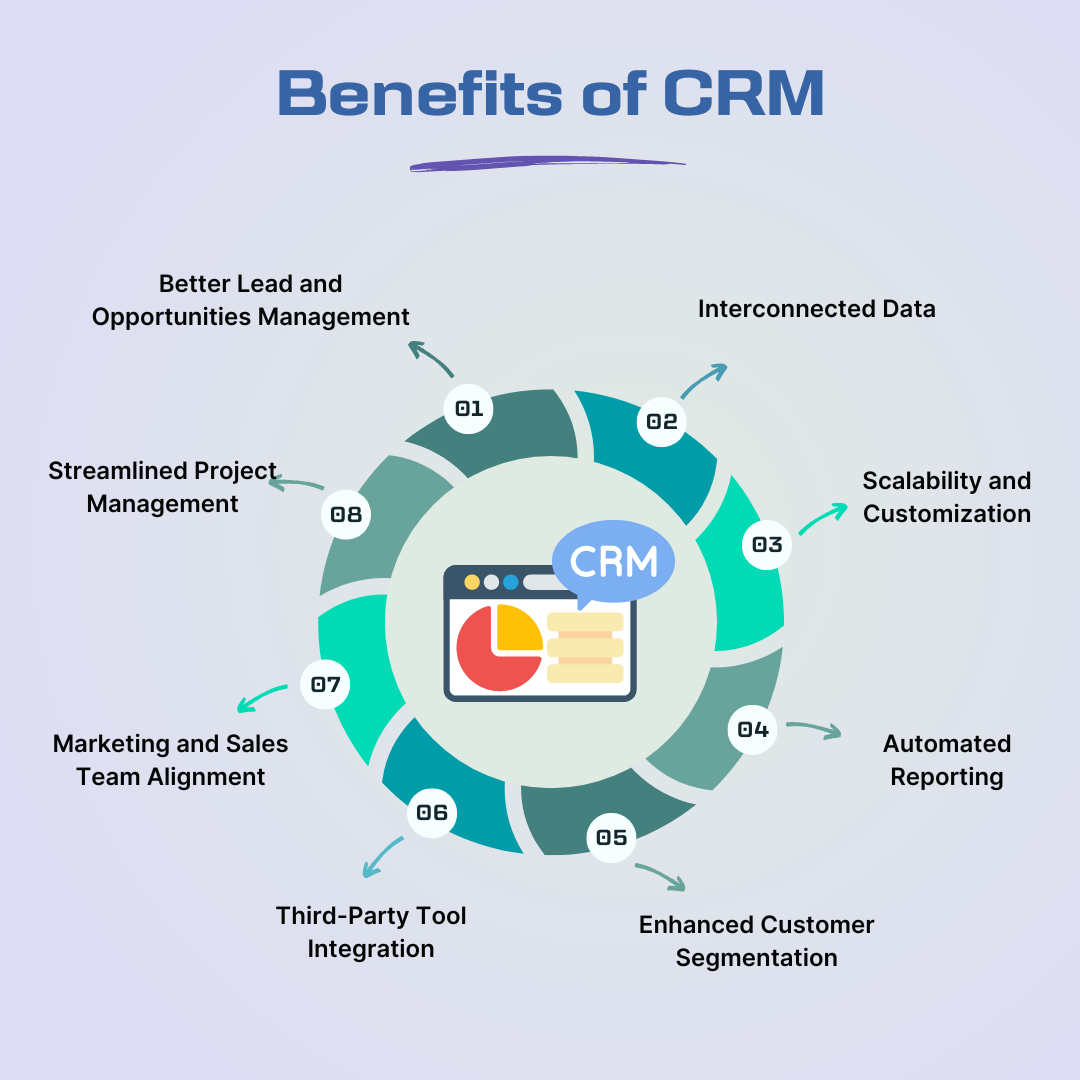
A customer relationship management (CRM) system helps sales teams organise leads, track conversations, manage follow-ups, and understand the progress of sales opportunities.
A customer relationship management (CRM) system helps sales teams organise leads, track conversations, manage follow-ups, and understand the progress of sales opportunities. For business owners, it provides a clearer view of customer relationships, team performance, and sales activities. The main benefits include reduced administrative work, more consistent communication, improved collaboration, and better-informed business decisions.
A CRM delivers these benefits when employees maintain accurate records and follow consistent processes. Businesses should evaluate systems based on practical needs, reporting capabilities, integrations, and ease of use rather than the number of available features. Understanding these factors helps sales teams choose tools that improve daily operations and support long-term growth.
The Main Benefits of CRM for Sales Teams
Better Lead Organisation and Follow-Up
A CRM stores lead details, enquiry sources, conversation histories, and next actions in one place. Sales representatives can quickly identify who needs a response, what has already been discussed, and which opportunities require attention.
Without a shared system, information may remain scattered across spreadsheets, emails, and personal notes. A central record reduces duplication and helps employees maintain continuity when another team member takes responsibility for a lead.
More Time for Selling
Routine administration can take time away from customer conversations. CRM automation can create reminders, assign enquiries, update records, and trigger follow-up tasks according to predefined rules.
Salesforce reported in its 2024 State of Sales research that sales representatives spent 70% of their time on non-selling tasks. This finding highlights the importance of reviewing administrative work and identifying tasks that could be simplified or automated. Read the Salesforce research.
Automation should support a well-defined process rather than reproduce an inefficient one. For example, a reminder is useful only when it reaches the correct employee at the appropriate stage.
Clearer Team Collaboration
Shared customer records help sales representatives, managers, and support staff work with consistent information. Employees can review previous interactions, record commitments, and understand outstanding tasks without repeatedly asking customers for the same details.
Access permissions also matter. Businesses should allow employees to view the information required for their roles while restricting sensitive records appropriately.
More Consistent Customer Communication
A CRM helps teams maintain context across calls, emails, meetings, and other supported communication channels. Representatives can personalise conversations using relevant customer details rather than relying on memory.
Consistent communication does not mean sending more messages. It means contacting people at suitable intervals, respecting their preferences, and making every interaction relevant to their needs.
How Business Owners Benefit From CRM Insights
Better Sales Pipeline Visibility
A CRM provides a structured view of opportunities at different stages, from the initial enquiry to negotiation and completion. Business owners can identify stalled leads, uneven workloads, and recurring delays.
Pipeline reports are useful only when employees apply stage definitions consistently. If one representative marks a lead as qualified while another uses the same status for an enquiry that has not been contacted, the reports become unreliable.
More Informed Business Decisions
CRM reports can reveal which lead sources generate qualified enquiries, how quickly employees respond, and where opportunities commonly stop progressing. Owners can use these patterns to review sales processes, staff training, and marketing activity.
A 2024 Nucleus Research analysis of 11 CRM case-study calculations found that individual productivity gains and overall process efficiency accounted for 51% of the total return identified in its analysis. This result comes from a specific set of case studies and should not be treated as a guaranteed outcome for every business. Read the Nucleus Research analysis.
A More Reliable Customer History
When customer preferences, previous enquiries, and agreed actions remain accessible, businesses can deliver more consistent service over time. This is particularly valuable when staff change roles or customers return after a long gap.
Businesses should collect only relevant information and keep records accurate. UK organisations handling personal information must follow applicable data protection requirements, including rules on secure storage, transparency, and appropriate data use. Read the GOV.UK data protection guidance.
Understanding Different CRM Options
Businesses can choose between several approaches depending on their workflows, team size, and reporting needs.
Spreadsheets
Spreadsheets offer flexible layouts and simple recordkeeping. They may suit very small teams with straightforward processes, but shared updates, automated reminders, conversation histories, and performance reporting can become difficult to manage as activity grows.
General-Purpose CRM Software
General-purpose CRM platforms support contact management, sales pipelines, reminders, reporting, and integrations. They can suit businesses with varied customer journeys, although specialised workflows may require additional configuration.
Industry-Specific CRM Software
Industry-specific systems provide features designed for particular sectors. For example, a property-focused CRM may support property enquiries, applicant records, and viewing management. Businesses should confirm that the available features match their actual processes.
CRM With AI and Automation
AI-enabled CRM tools can assist with routine responses, lead qualification, information collection, and task automation. These functions can help teams handle repetitive enquiries, but they require accurate data, clear rules, and human oversight when a situation needs judgement.
CRM Capabilities That Matter Most
When comparing systems, pay attention to the practical capabilities that affect everyday work.
Lead assignment: Check whether enquiries can be allocated according to team responsibilities, location, workload, or expertise.
Workflow automation: Confirm whether the system can trigger reminders and tasks under defined conditions and whether these rules can be tested before activation.
Pipeline reporting: Look for reports that track opportunities by stage, employee, source, and time period.
System integration: Check whether the CRM connects with existing email platforms, websites, calendars, and other essential business tools.
Access permissions: Verify that administrators can control who views, edits, exports, or deletes customer records.
Data export: Confirm that the business can retrieve its records in a usable format if it changes platforms.
These checks help businesses evaluate the usefulness of a system without becoming distracted by features they may never need.
Things to Consider Before Making a Decision
Identify the Main Operational Problem
List the three most important problems the CRM must solve. These might include missed enquiries, inconsistent follow-ups, duplicated records, or poor reporting. Use these priorities to compare potential systems.
Test the Complete Customer Journey
Ask the provider to demonstrate a realistic workflow, from receiving a new enquiry to assigning a lead, recording a conversation, scheduling a follow-up, and reviewing
Plan for Adoption and Data Quality
Choose a system employees can use consistently. Establish naming conventions, required fields, ownership rules, and procedures for correcting outdated records before transferring existing data.
CRM Solutions for Different Business Needs
The services associated with LastingSales cover several workflows where lead management and customer communication are important.
Leadly AI Agent: Supports AI-assisted lead responses and qualification where the configured features and communication channels allow.
Mobile CRM: Helps teams access customer records, update lead statuses, and manage follow-up activities while working remotely.
Property and Real Estate: Relates to organising property enquiries, applicant information, and sales follow-up processes.
Marketing Agencies: Supports the management of prospect records and sales opportunities across agency workflows.
The appropriate capabilities depend on each team's requirements and the features available in the selected solution.
Questions to Ask Before Using CRM
How can a team measure whether its CRM is working?
Track lead response time, overdue follow-ups, record completeness, conversion between pipeline stages, and employee adoption. Compare results against a baseline established before implementation.
What happens when CRM data becomes inaccurate?
Incorrect records can weaken reports and trigger irrelevant communication. Assign responsibility for data quality, review duplicate records regularly, and establish a clear correction process.
Can CRM support remote or hybrid sales teams?
Yes, provided the platform offers suitable remote access, synchronisation, security controls, and mobile functionality. Test connectivity and permissions in the locations where employees actually work.
How often should CRM workflows be reviewed?
Review workflows after implementation and whenever sales processes, customer expectations, or team responsibilities change. Regular reviews help remove unnecessary steps and correct automation errors.
How should a business manage customer data responsibly?
Define what information is necessary, explain how it will be used, restrict access appropriately, and establish retention and deletion procedures. Check applicable privacy and marketing rules before launching automated outreach.
Make CRM Decisions Based on Real Business Needs
A CRM is most useful when it improves lead ownership, reduces unnecessary administration, strengthens communication, and provides dependable information for decision-making. Before selecting a platform, define the problem, test the complete workflow, and establish clear measures of success.
For information about CRM and lead management workflows, contact LastingSales at info@lastingsales.com or +44 7507 30 5610. Evaluate any solution against current team needs, data-handling responsibilities, and long-term business goals before making a decision.